
Book desks, rooms and parking. On your own floor plan.
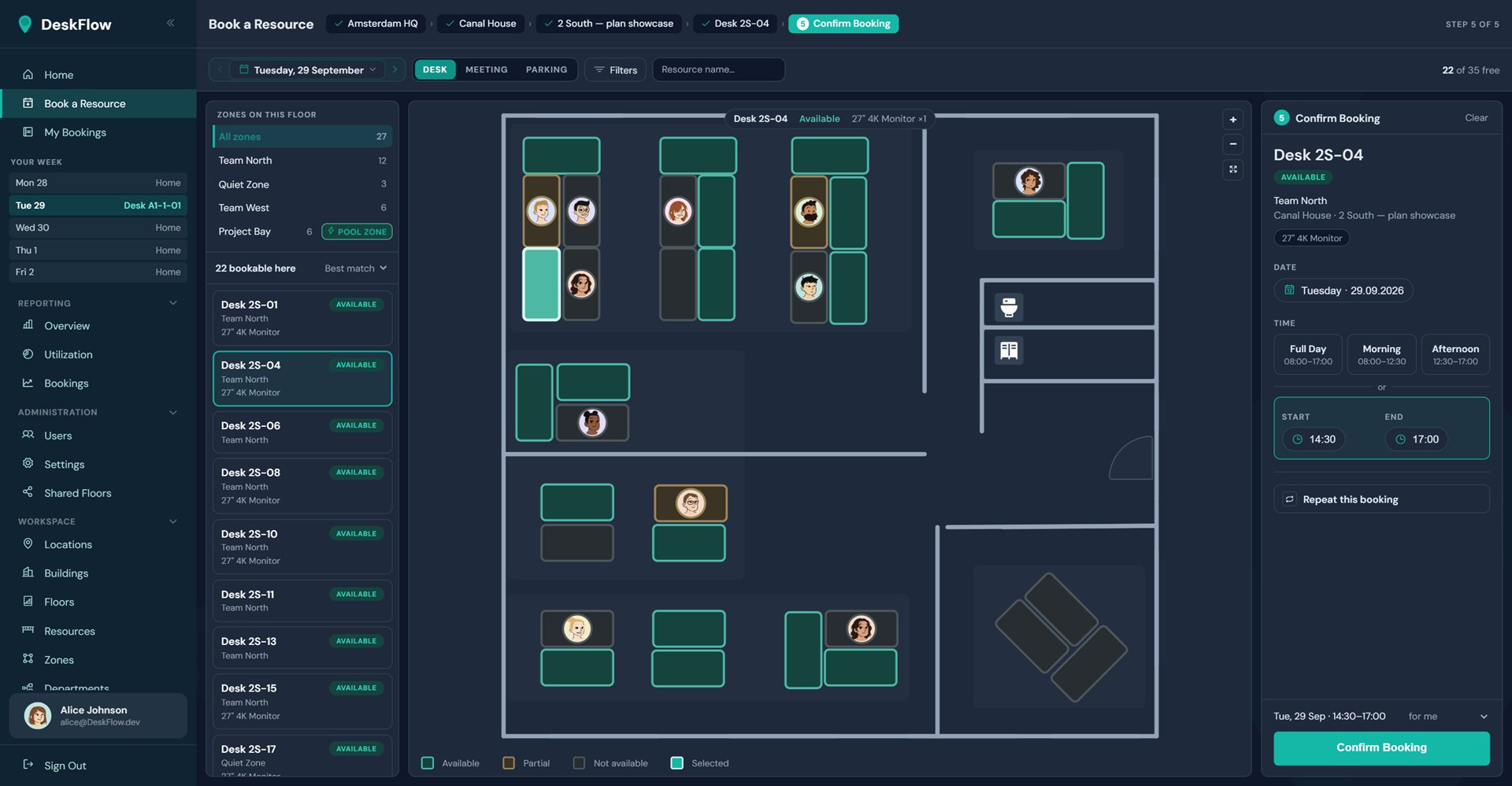
DeskFlow puts your floor plan in front of everyone. Book desks, meeting rooms and parking, see which desks are free and who is sitting where.
Free for up to 10 people
- 3 in 1
- Desks, meeting rooms and parking
- 10
- people free, with no time limit
- 3 months
- ahead for recurring bookings
- Multilingual
- each person picks their language
Shared desks need a shared plan.
Once desks are shared, new questions come up: for employees in the morning, for managers planning the space. Without a shared plan, everyone answers them differently, by asking around, with lists or spreadsheets.
- Where is a desk free tomorrow, close to my team?
- Who from my team is in today, and where?
- Is the meeting room with a screen still free?
- Will I get a parking space on Thursday?
| Topic | Without a shared plan | With DeskFlow |
|---|---|---|
| Finding a desk | Asking around, lists, luck | See free desks on the floor plan and book them |
| Rooms and parking | Separate calendars and arrangements | Booked in the same place as desks |
| Working together | Unclear who is in when | Bookings with photos on the plan, zones per team |
| Space planning | Estimates and gut feeling | Reports on utilisation, peaks and check-ins |
From “where am I sitting?” to booked in four steps
- 1
Pick your day
Choose the date at the top. The sidebar shows where you are already booked this week.
- 2
Choose where
Location, building, floor. DeskFlow opens straight on your preferred floor.
- 3
Pick on the plan
Click the desk you want, or book any free desk in a pool zone. Filter by equipment such as a monitor, or by zone. List and plan stay in sync.
- 4
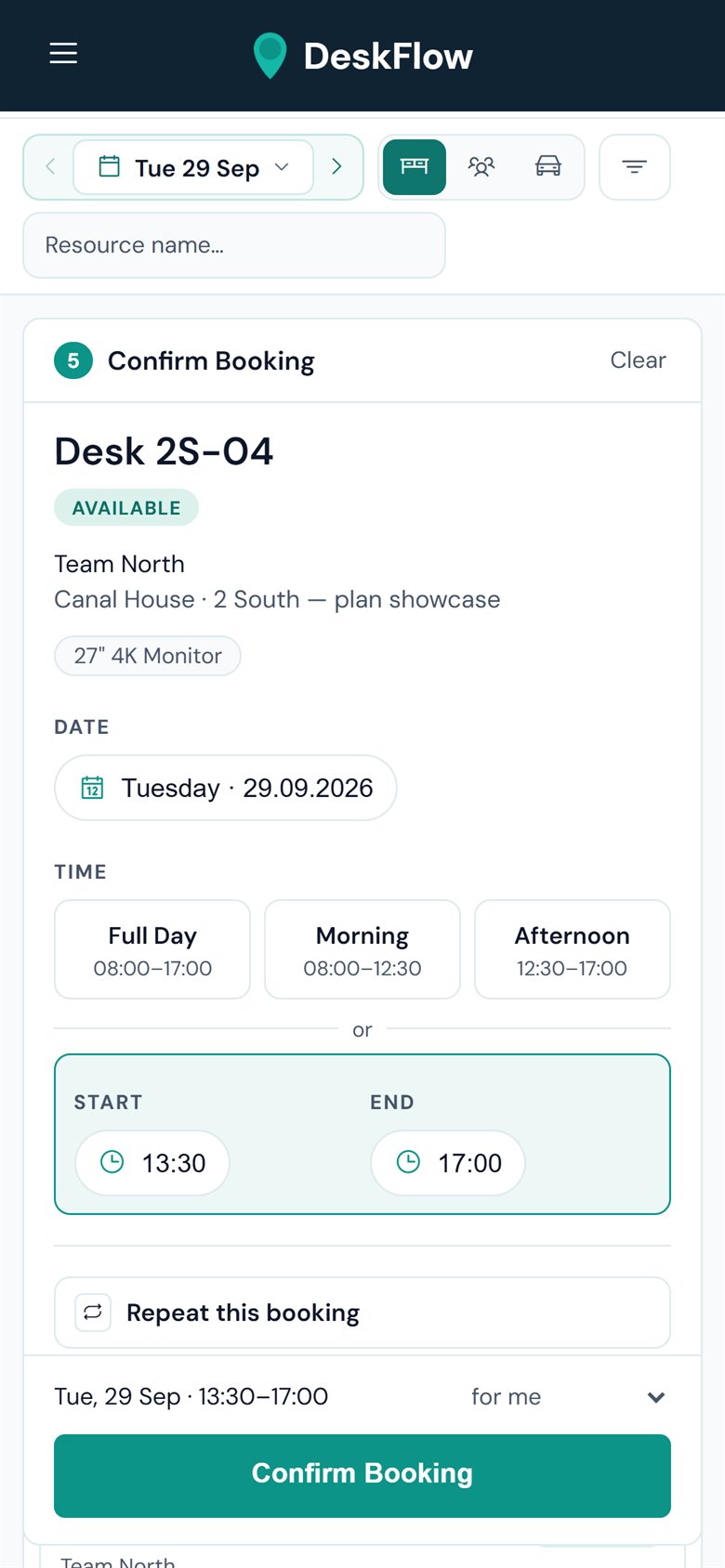
Confirm
Full day, morning, afternoon or your own times. Repeat it weekly if you like, then add it to your calendar. Double bookings are ruled out.
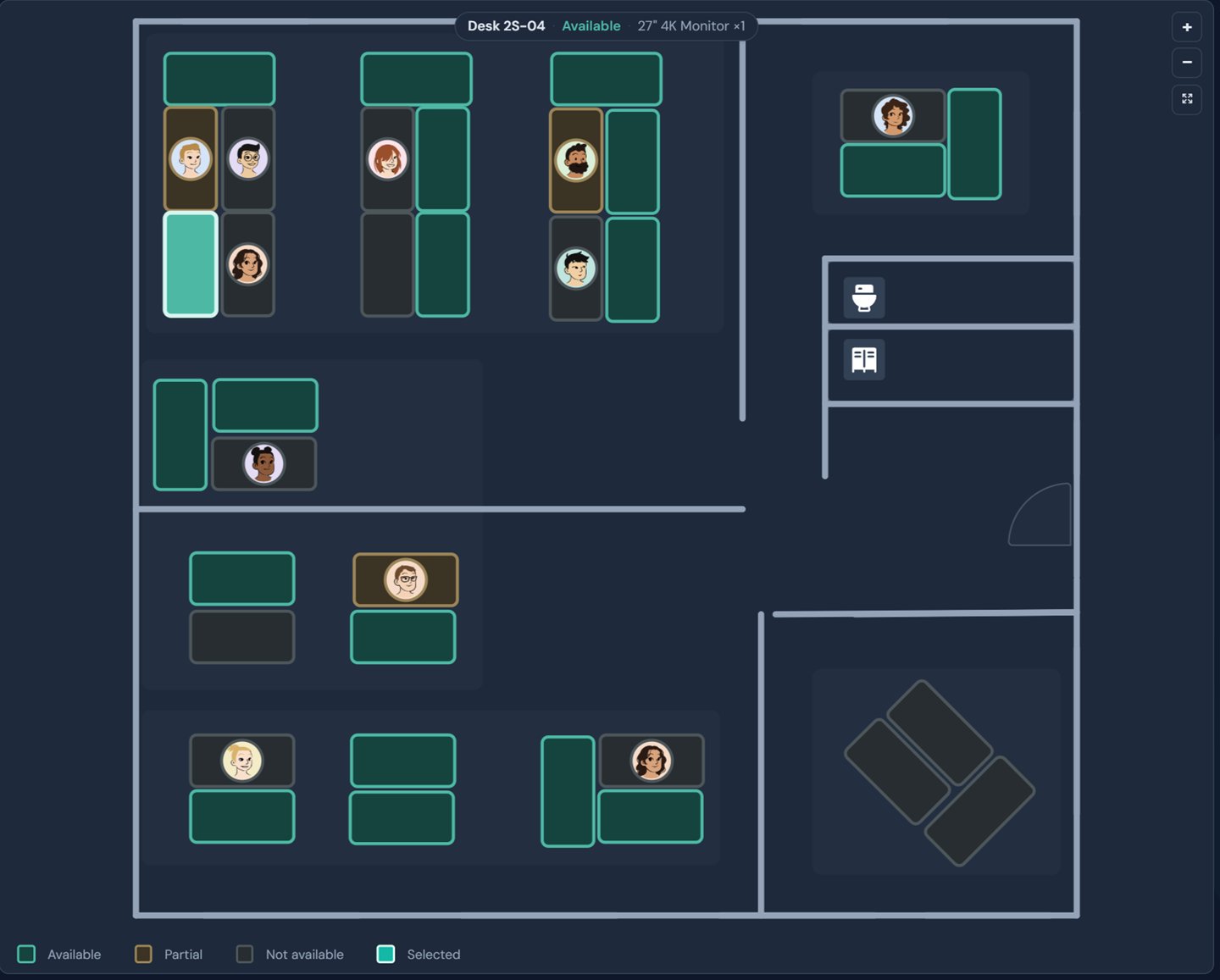
See at a glance which desks are free
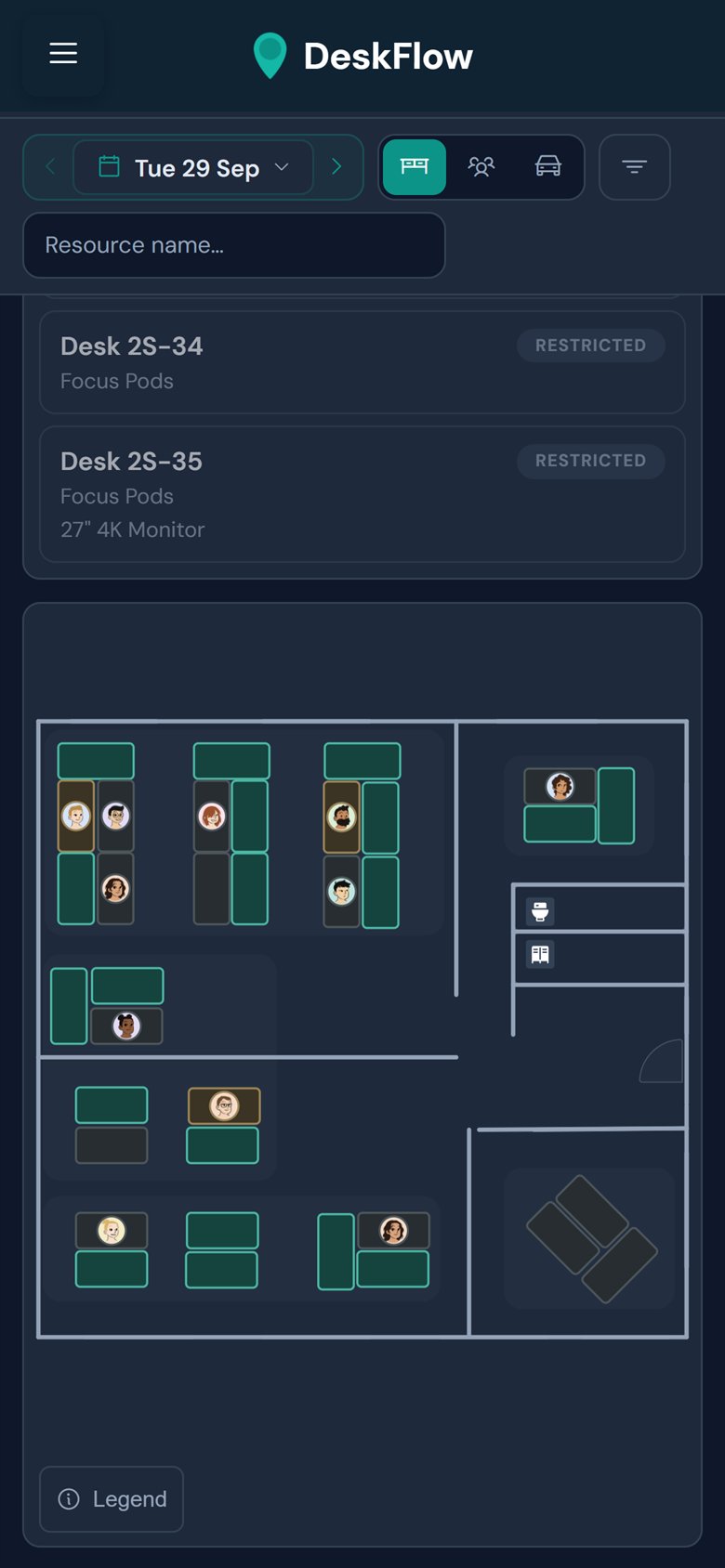
Free, partly booked and taken desks are colour-coded on your floor plan.
- See who booked a desk, with photo
- Free desks counted per zone
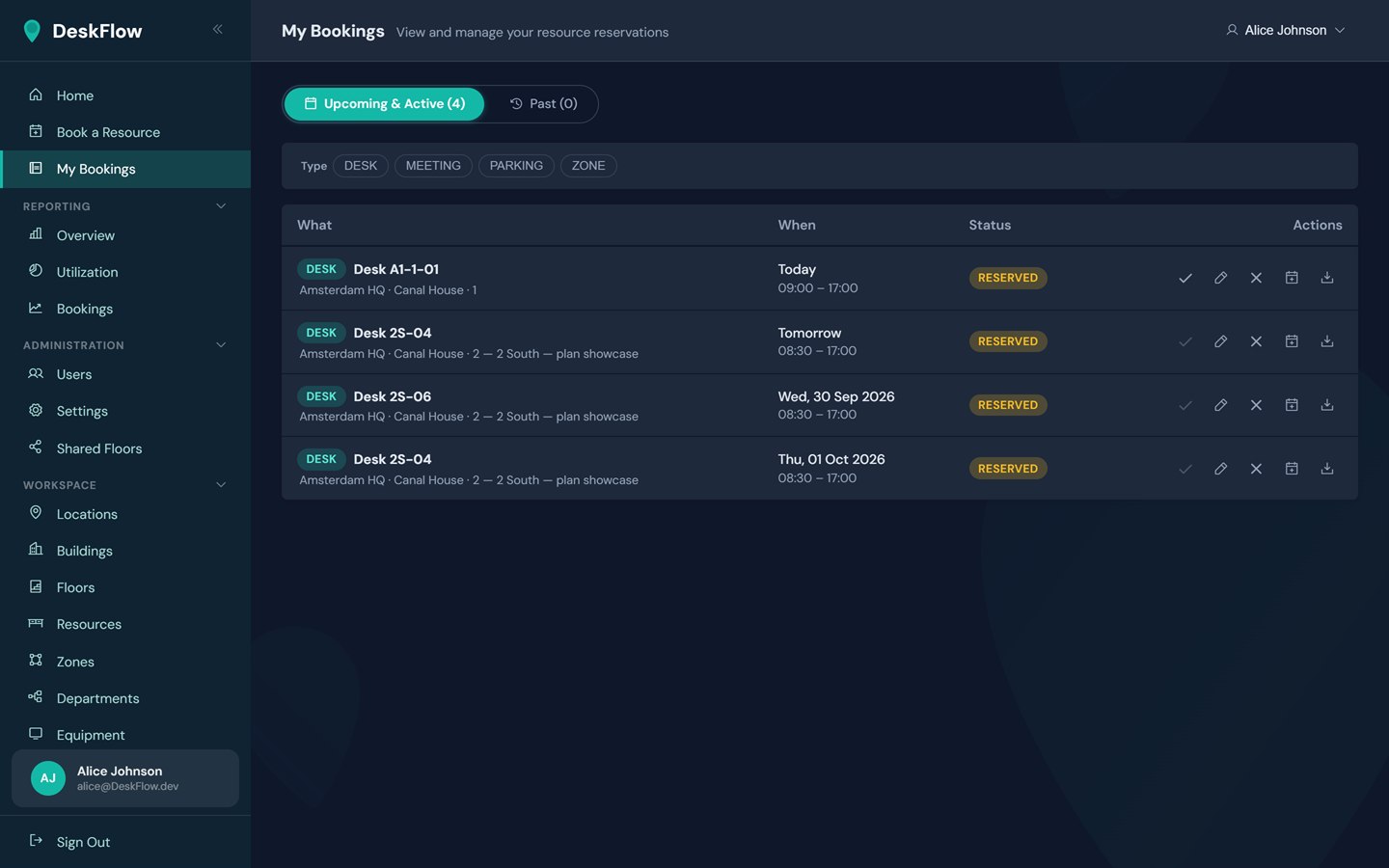
Everything you have booked in one place
My Bookings lists your upcoming and past bookings, each with its actions.
- Check in at the desk
- Change or cancel bookings
- Calendar export for Outlook, Teams and iCal
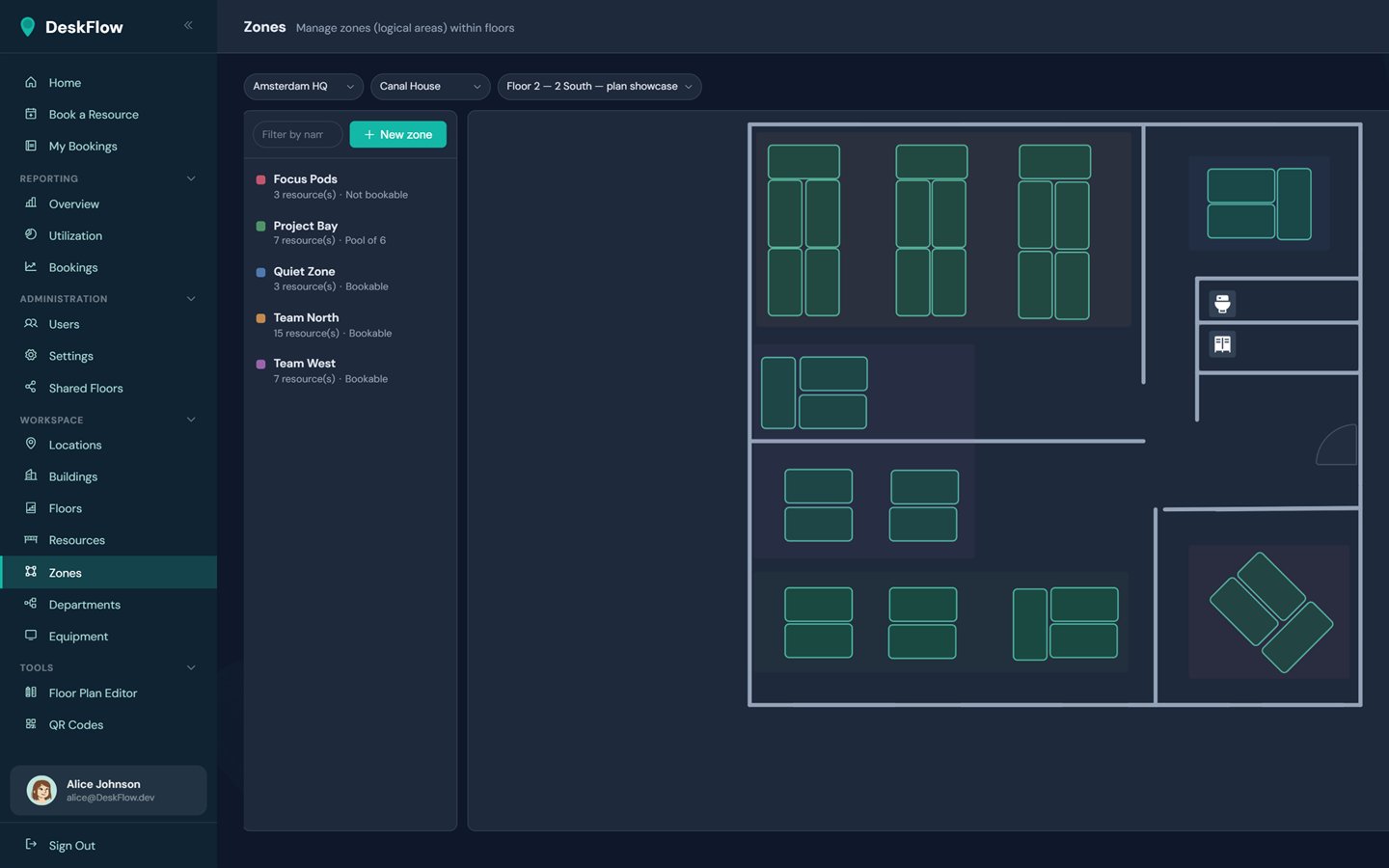
Set up your office from your own plan
You set up the floor plan, desks and zones yourself in the editor, and your team books on the finished plan.
- Upload an SVG plan or draw walls, doors and desks
- Zones for teams, quiet areas or pools
- Limit zones to departments
The same floor plan on your phone
Book from the train and find your desk when you arrive. Your phone runs the same booking page as your computer.
- Floor plan and list on every screen size
- Check in with a QR code at the desk, reminded about 15 minutes before
- Light or dark mode
Booking for the whole team, setup and reports for admins.
For everyone booking
- Desks, meeting rooms & parkingAll bookable in one place, with the equipment on each desk.
- Interactive floor planFree, partly booked and taken desks across floors and zones.
- Recurring bookingsAny weekdays, up to three months ahead. Dates already taken are flagged before you book.
- Calendar exportDownload an iCal file or add the booking to your Outlook or Teams calendar.
- Check-in & privacyCheck in with a QR code at the desk or with one click, and book anonymously if you prefer.
- Light and dark modeFollows the device setting, or the choice each person makes.
For admins
- Floor plan editorUpload your plan or draw it, then place desks and zones.
- Who can book whatZones limited to departments, assigned desks, and booking on behalf of colleagues.
- ReportsUtilisation over time, peak hours, most and least used desks, check-in, no-show and cancellation rates, and presence by department. Only managers and admins see them.
- Users & invitationsInvite people one by one or in bulk, with three roles: employee, manager and admin.
- QR codesGenerated in DeskFlow, one per desk or as print sheets per floor, building or location.
- Shared floorsLet partner companies book meeting rooms and parking on your floors.
Run in the EU, sign-in with Microsoft.
DeskFlow is offered by DATAGROUP Ulm GmbH and runs on Microsoft Azure within the European Union.
- EU
- Hosted on Microsoft Azure
- Entra ID
- Sign-in with your Microsoft account
| Topic | How it is handled |
|---|---|
| Hosting | Microsoft Azure within the European Union |
| Sign-in | Microsoft Entra ID; transfers to the US under the EU Standard Contractual Clauses (Art. 46(2)(c) GDPR) |
| Stored data | Account: name, email, organisation and user ID. Use: booked desks, times, presence and check-in, location and floor. |
| Cookies | Only technically necessary cookies, for session, display and language |
| End of contract | Your data is ready to collect for 30 days, then deleted for good |
The privacy policy and terms (in German) are binding. For your data protection review, talk to us. Datenschutz · AGB · Contact sales
Four steps to rollout
Free and Enterprise have the same features, so you start with one team, without a procurement process, and add the rest of the organisation later.
- 1
Try it for free
A small team starts on Free and books on your real floor plan from day one.
- 2
Set it up, or have it set up
You can upload the floor plan and place the desks yourself. If you prefer, we do it for a fee; you just send us your plans.
- 3
Evaluate the pilot
Utilisation and check-in rates in the pilot area show what works day to day.
- 4
Roll out
With Enterprise, add more locations, floors and as many people as you need.
- Floor plans of your floors, ideally as SVG
- Locations, buildings and floors as a list
- Zones, and who may book them
- A pilot team and one person in charge
Start free. Talk to us when you grow.
Every plan includes every feature. Plans differ only in team size.
- All features
- Desks, meeting rooms and parking
- Floor plan editor
- Reports
- Free for good, cancel any time
- No limit on the number of people
- Individual pricing and contract terms
Start with your floor plan and one team.
Free for up to 10 people, with every feature.